

Hexadecimal to Binary Conversion Explained
📘 Learn step-by-step how to convert hexadecimal numbers to binary. Perfect for beginners in computing and digital systems wanting clear, practical guidance.
Edited By
Oliver Hughes
To understand binary to ASCII conversion, it helps to start with what these two codes represent. Binary is the language of computers—just zeros and ones—that machines use to process all kinds of data. ASCII (American Standard Code for Information Interchange), meanwhile, is a system for translating those zeros and ones into readable characters like letters, numbers, and symbols.
In practical terms, when you see text on your screen, it’s because a bunch of binary data has been converted into ASCII characters the human eye can recognise. This conversion is essential across countless applications, from email to programming, running trading platforms, and even in financial data feeds.

For traders, investors, and analysts, accurate data communication is critical. Stock prices, ticker symbols, and transaction details often arrive as coded messages that must be decoded correctly to avoid costly mistakes. Even a small error in interpreting binary data can skew an analysis or trade decision.
Understanding how to convert binary into ASCII can improve trust in your data sources and even assist in troubleshooting when feeds or reports come through garbled.
Binary represents numbers in base 2. ASCII assigns a specific 7-bit or 8-bit binary number to each character. For example:
The letter A is 01000001 in 8-bit binary.
The digit 5 is 00110101.
Conversion involves splitting a binary string into 8-bit segments, each corresponding to an ASCII character code. This is then translated into a readable character using an ASCII table.
Mastering this process lets you decode raw binary financial messages or spot errors early in automated systems.
If you receive the binary sequence 01001000 01100101 01101100 01101100 01101111, splitting it into 8-bit chunks and converting each chunk gives:
01001000 → H
01100101 → e
01101100 → l
01101100 → l
01101111 → o
So, the binary spells “Hello”.
Having a solid grasp of this basics is the first step. The following sections will explain detailed conversion methods, common use cases in finance, and tips for handling data accurately under real-world conditions.
Binary and ASCII form the backbone of how computers interpret and display information, making them essential for anyone dealing with data, including traders and financial analysts. This section lays the groundwork for understanding how numbers and letters translate into the digital signals powering everything from stock trading platforms to financial news feeds.
Binary data uses a series of zeroes and ones to represent information. Think of it as the computer’s language, where each digit—called a bit—can be in one of two states: off (0) or on (1). For example, the binary sequence "01000001" corresponds to the capital letter 'A' in binary code. This system underpins how all digital devices process data, allowing complex information to be broken down into simple signals.
ASCII (American Standard Code for Information Interchange) assigns numeric codes to characters, making text readable by machines. It's a standard where each character, including letters, numbers, and control symbols, maps to a unique decimal number between 0 and 127. For example, the letter 'A' corresponds to 65, while 'a' corresponds to 97. This makes it possible to translate binary data into text strings that humans can easily understand.
Understanding ASCII is like having a dictionary that lets the computer "speak" in human language.
The conversion enables raw binary data to be represented as human-readable text. For professionals working with data feeds, automated reports, or any system where computers trade information, this step is vital. It ensures that messages, stock quotes, and instructions can be displayed and interpreted correctly. Without converting binary to ASCII, those digits would remain unintelligible streams, much like receiving a message in code without the key.
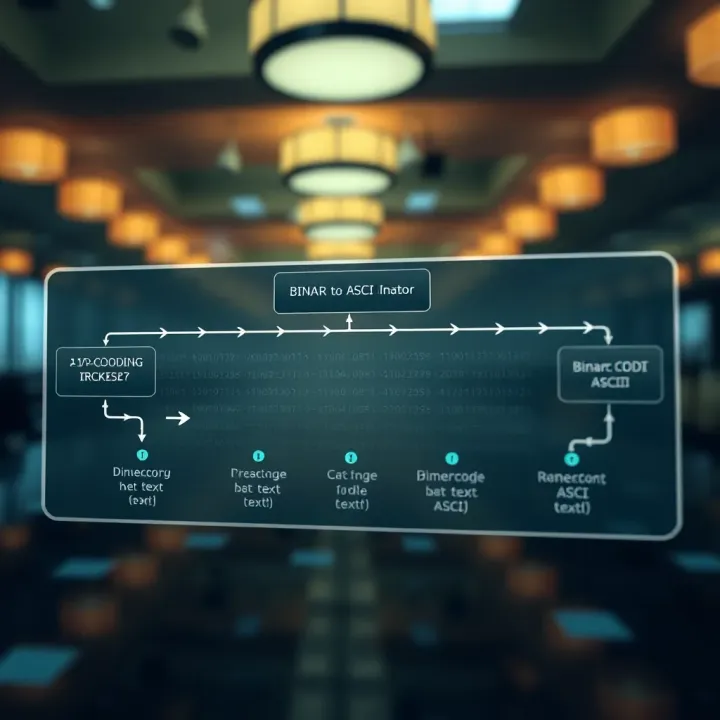
Being familiar with both binary data and ASCII encoding allows you to troubleshoot data communication issues or understand reports generated by algorithms. Take an instance where a system outputs garbled text due to incorrect encoding; knowing these basics can help pinpoint the problem swiftly.
This foundational knowledge is not just academic—it equips you to engage with data more confidently in real-world scenarios, whether it’s verifying data integrity or working alongside technical teams on system integration.
Understanding the process of converting binary to ASCII is essential for anyone dealing with digital data, whether you're analysing market feeds, programming, or troubleshooting data streams. This process bridges the gap between the raw 0s and 1s that computers use and the readable text we interact with daily.
Binary data often comes as a long string of zeros and ones, which can be overwhelming at first glance. To make this manageable, the binary stream is split into bytes — groups of eight bits. Each byte represents a single character in ASCII. For example, the binary sequence 01001000 is a byte that corresponds to the capital letter 'H' in ASCII.
Dividing binary code into bytes is crucial because ASCII was designed around 8-bit characters. Without this step, converting binary data would be like trying to read a book without spaces or punctuation — confusing and prone to errors.
Once the binary data is grouped into bytes, each byte is converted into a decimal number. This decimal number acts as a code to find the corresponding ASCII character. For instance, the binary byte 01000001 translates to decimal 65, which is the ASCII code for the letter 'A'.
This mapping is straightforward but critical; any mistakes here mean characters will be misrepresented, which could impact software operations or data interpretation. Consider a trading platform where a character mix-up might affect command inputs.
While manual conversion helps grasp the concept, relying on conversion tables and digital tools is faster and less error-prone. ASCII tables list decimal values alongside their corresponding characters, helping you to cross-reference quickly. Online converters or software utilities streamline this process — you input the binary sequence, and the ASCII text is output instantly.
For professionals in finance and technology fields, such tools are handy. Whether you’re debugging a data feed or translating encoded messages, these conversions can be done in seconds with the right resources. However, familiarity with the basic process remains useful to verify outputs and troubleshoot if things go awry.
Splitting binary into bytes and accurately mapping each to ASCII characters forms the backbone of translating raw computer data into readable text.
In short, mastering the practical steps—from byte segmentation to using conversion aids—ensures you handle data confidently and effectively in any digital environment.
Understanding how to manually convert binary code into ASCII characters is a valuable skill, especially in finance where data integrity and quick error checking matter. While tools exist to automate conversion, doing it by hand helps you grasp the underlying mechanics and troubleshoot communication glitches effectively.
Binary data consists solely of 0s and 1s, where each digit represents a power of two. When you see a binary block like 01000001, think of it as a series of switches: each 'on' bit adds a specific value to the total. For example, the bit farthest to the right is worth 2^0 (1), the next one 2^1 (2), then 2^2 (4), and so on. This system is essential to understanding how computers store and transmit information.
Once you've identified the binary sequence, convert it into decimal to pinpoint the ASCII value. Take 01000001 again: starting from the right, multiply every '1' by its place value and sum them up. Only the bits in positions 6 and 0 are '1's here, so 2^6 (64) plus 2^0 (1) equals 65. This process turns binary code into a decimal figure your brain can handle.
With the decimal number in hand, look it up in the ASCII table to find the matching character. The decimal 65 corresponds to the capital letter 'A'. This final step bridges the gap between raw binary data and readable text, making it possible to understand and manipulate digital information plainly.
Manual conversion isn't just academic. Knowing these steps can help you debug binary data streams, particularly when working with financial messaging standards like FIX or SWIFT, where messages are literally strings of characters encoded in binary.
By mastering these steps—interpreting binary, converting to decimal, and mapping to ASCII—you'll gain a practical understanding that supports better communication with financial data systems. This insight proves invaluable when technology hiccups happen and you need to think fast and clear. Keep practising with simple examples, such as common letters and numbers, to build confidence before tackling more complex data sequences.
Binary to ASCII conversion plays a key role in everyday data exchange and software processes. This section dives into practical examples where understanding this conversion makes a real difference, especially for people involved in trading, financial analysis, or software development.
In data communication, devices often send and receive information in binary form, which isn’t readable by humans. Converting this binary into ASCII text allows network engineers and systems to interpret messages correctly. Think of stock market data feeds streaming prices and trades; these rely on accurate binary-to-ASCII conversion to display ticker symbols and prices clearly on your trading platform.
For instance, protocols like TCP/IP transmit data in binary packets, but when these signify words, numbers, or commands, converting to ASCII is essential. Without this step, data would appear as unintelligible gibberish. This conversion ensures messages like "BUY 100 SHARES" or "PRICE R350" are presented properly.
Most programming languages work with ASCII characters when dealing with text input and output. Developers frequently convert binary data to ASCII during software that reads files, processes user inputs, or manages communication between applications. For example, a financial app might receive binary data from an external source, then convert it to ASCII to display account names or transaction details.
When coding in languages like Python or Java, converting binary strings to ASCII allows programmers to implement features such as log file reading, report generation, and data parsing. This operation may seem simple but forms the backbone of how user-friendly applications read and present data clearly.
Understanding binary to ASCII conversion helps IT professionals pinpoint problems in data transfer or software behaviour. Sometimes, corruption in data streams causes odd characters or garbled text. By checking if binary segments map correctly to ASCII, technicians can identify where errors occur.
For example, a stock exchange’s data feed might show unexpected symbols on a screen due to improper encoding. Debugging such issues involves converting the binary data back into ASCII to figure out if the problem lies in transmission, decoding, or presentation layers. This step is vital to quickly restore accurate data flow, which can affect critical financial decisions.
Accurate binary to ASCII conversion is not a background detail but a foundational process that supports real-time communication and software clarity across many sectors.
Understanding these common applications can help you appreciate why this conversion matters beyond theory. From networking to coding to troubleshooting, being skilled in binary to ASCII offers tangible benefits, ensuring data stays precise and meaningful in daily operations.
Converting binary to ASCII isn't just a technical exercise; it demands careful attention to detail to avoid errors that could skew data interpretation. When working with binary inputs, ensuring accuracy upfront saves heaps of time down the line, whether you're debugging software or analysing market data streams.
One of the biggest pitfalls is misreading or mistyping binary digits. Since each byte consists of eight bits, entering fewer or more bits per character causes garbled output or system errors. For example, if you're converting the binary string 0100100 instead of 01001000, the difference of a single zero at the end transforms the letter from 'H' to an undefined character.
Watch out for spacing errors too. Binary data is often grouped in sets of eight bits for ASCII, but mixing spaces or missing separators can confuse manual or automated converters. A handy practice is to consistently separate bytes by spaces or commas. This clear organisation comes in handy, especially when handling long streams, such as financial transaction logs packed in binary form.
Another common mistake: assuming all binary inputs represent printable ASCII characters. Some sequences correspond to control characters (like backspace or carriage return) and can affect how data displays or processes. Knowing which ASCII ranges you expect helps filter out or appropriately handle these special cases.
Manual conversion is educational but impractical beyond small snippets. Fortunately, several reliable tools streamline this process, making it both faster and less error-prone. Simple online binary to ASCII converters let you paste binary input and instantly see readable text output. These are handy for quick checks or when verifying data integrity.
For those working in programming environments, languages like Python have built-in functions to convert binary strings efficiently. For example, int(binary_string, 2) converts binary to decimal, and chr(decimal_value) fetches the corresponding ASCII character. This approach integrates well into scripts that process large datasets or real-time streams without manual intervention.
Additionally, spreadsheet software like Microsoft Excel and Google Sheets offer binary-to-decimal conversion functions (e.g., BIN2DEC), which can be useful for analysis and batch processing in financial modelling.
Consistency and verification are your best friends when converting binary to ASCII. Whether you rely on manual checks or automated tools, double-checking inputs and outputs can prevent costly misinterpretations.
With these tips and resources at hand, converting binary to ASCII becomes less daunting, saving you valuable time and reducing the chance of costly errors in your workflow.
📘 Learn step-by-step how to convert hexadecimal numbers to binary. Perfect for beginners in computing and digital systems wanting clear, practical guidance.

🔍 Explore Gray code: its unique binary system where adjacent numbers differ by one bit. Learn clear steps to convert Gray code to binary with examples and tips.

🔢 Learn how to convert hexadecimal to binary with clear steps and tips. Discover tools to simplify conversion in digital and programming tasks.
Explore how WWW binary works in web tech 🌐. Learn about data formats, practical uses, security, and optimisation for sharper web development insights.
Based on 7 reviews