
Choosing Forex Trading Software in South Africa
Explore top forex trading software in South Africa 🇿🇦. Learn about key features, regulations, and practical tips to pick the best platform for your trades 📈💻.
Edited By
Edward Sinclair
Forex trading apps have become a staple for South African traders who want to access currency markets anytime, anywhere. With a smartphone in hand, you can trade USD/ZAR, EUR/ZAR, or other pairs on platforms offering real-time data and lightning-fast execution. But not all apps are built the same, and knowing which features matter most will save you headaches down the line.
South African traders face unique challenges such as fluctuating rand volatility, regulatory requirements, and even the occasional loadshedding interruptions. That means your choice of a forex trading app isn’t only about flashy charts or low spreads — security, compliance, and usability count just as much.
Choosing the right app is not just about convenience but protecting your capital and complying with local rules.
Many platforms claim to be user-friendly or jam-packed with tools, but what stands out for South African users is: compatibility with local banks for deposit and withdrawal, FICA (Financial Intelligence Centre Act) compliance checks, and support for ZAR trading pairs. Plus, efficient customer service during South African trading hours can make a difference.
When exploring apps, focus on key features like:
Security: Two-factor authentication and encryption to guard your login and funds.
Regulation: Look for platforms licensed by recognised authorities such as the FSCA (Financial Sector Conduct Authority).
Trading Tools: Access to real-time charts, technical indicators, and one-click order placement.
Ease of Fund Movement: Compatibility with South African payment methods like EFTs (electronic funds transfers) and speedy processing times.
Popular apps with a solid presence in South Africa include MetaTrader 4 and 5, Plus500, and local brokers’ apps like IG Markets and EasyEquities. They tick many boxes in terms of security and functionality while offering access to important currency pairs.
The thing is, using these apps well involves more than just installation — you’ll want to understand how to manage risk, set alerts, and interpret market news on your mobile device. Subsequent sections will break down practical tips and features to watch out for, helping you trade smarter on the go.
Choosing and mastering the right forex trading app can help you seize opportunities in volatile markets and keep your investments secure. So, before you jump in, get clear on what you need and expect from your platform — it pays off in the long run.
Selecting the right forex trading app means zooming in on features that truly matter to you as a trader. With mobile devices offering convenience, the app should balance functionality with smooth user experience to make trading efficient and safe. Whether you’re a beginner checking currency pairs or an experienced trader requiring custom analysis tools, knowing what to look for saves you from surprises later on.
An app that's easy to get around helps you react fast to market moves. Imagine trying to close a losing position yet fumbling through multiple screens — unnecessary delays can cost you dearly. Look for straightforward menus and clear labelling of functions, especially on small mobile screens where space is limited. Apps like MetaTrader 5 and IG show how intuitive design can help traders find orders, charts, and news without breaking a sweat.
You want charts tailored to your style. Trading platforms allowing you to swap chart types, add indicators like RSI or MACD, and overlay trend lines provide the flexibility needed for detailed analysis on the go. For instance, a day trader might prefer minute-by-minute candlestick charts, while a long-term investor seeks simple line charts to spot trends. Being able to save your layout or template also keeps your workflow consistent across sessions.
Foremost, confirm that the app offers a wide selection of currency pairs, especially those popular in South Africa such as USD/ZAR, EUR/ZAR, GBP/USD. The availability of exotic pairs can add trading opportunities but may come with wider spreads. Access to major pairs with tight spreads suits most traders, helping manage costs while capturing market moves.
Look for platforms that go beyond just forex. Being able to trade commodities like gold or oil, or indices such as the JSE Top 40, can diversify your portfolio and hedge currency exposure. For local traders, mixing assets on one app reduces hassle and builds a more rounded investment approach.
The app should cater to your trading level. Beginners benefit from micro accounts with smaller minimum deposits and simplified interfaces, while advanced traders might need professional accounts offering higher leverage, more order types, and API access. Some platforms also provide demo accounts, which are perfect for practising without risking real money.
Successful trading often relies on how precisely you can enter or exit positions. Market orders execute immediately at the current price, critical in fast-moving markets. Pending orders such as limit or stop orders allow you to automate entries and exits around target prices, helping manage risk without constant screen-watching.
Slippage happens when your order fills at a different price than expected, common during volatile times or low liquidity. Reliable apps minimise slippage and execute orders quickly—this reliability ensures your strategy runs as planned. For instance, an app with slow execution during an important economic release can lead to unexpected losses.
Look for apps packed with tools to analyse price action. Popular indicators and drawing tools help spot support, resistance, and momentum shifts. Some apps even offer automated chart pattern recognition, adding an extra edge. If you prefer to rely on technicals, a comprehensive toolkit within the app itself avoids toggling between different services.
Staying informed on economic data releases, central bank announcements, or geopolitical developments is crucial. Apps that integrate real-time news and economic calendars keep you updated without leaving the trading environment. This immediacy helps you anticipate market moves rather than chasing after them.
Choosing an app with the right features tailored to your trading style and needs can significantly improve your efficiency, help manage risks, and ultimately support better trading outcomes in the busy forex environment.
For anyone trading forex in South Africa, understanding the security and regulatory landscape is non-negotiable. It's not just about protecting your money but also about ensuring the platform you use is subject to proper oversight. Without this, you might be exposing yourself to unnecessary risks, like falling victim to scams or data breaches.
South Africa’s Financial Sector Conduct Authority (FSCA) is the watchdog that keeps an eye on financial markets, including forex trading. Their main job is to regulate and supervise financial institutions to promote fair and transparent practices. If a forex broker or trading app is approved by the FSCA, it means they have to meet standards designed to protect traders.
Traders should check if the broker behind an app is FSCA-approved. This official recognition helps reduce the risk of dealing with unlicensed or shady operators. For example, if something goes wrong, the FSCA provides a point of contact for complaints or dispute resolution, which isn’t the case with overseas or unregistered platforms.
Besides the FSCA, South African law requires compliance with RICA (Regulation of Interception of Communications and Provision of Communication-Related Information Act) and FICA (Financial Intelligence Centre Act). These laws are aimed at preventing money laundering and fraud by ensuring brokers verify who their clients are.
Brokers that follow RICA and FICA will request proof of identity, address, and sometimes source of funds before you start trading. This protects the system against illegal activity and helps keep the trading environment trustworthy. If a broker neglects these checks, that's a red flag signalling potential legal or security issues.
A solid forex trading app must use encryption to protect your data during transactions and while stored. Encryption scrambles your information so no one can intercept it easily, much like sending a locked suitcase instead of an open bag.
Two-factor authentication (2FA) offers an extra layer of protection by requiring a second verification step, typically a code sent to your cellphone, before you can log in or approve transactions. This simple feature drastically reduces the risk of unauthorised access, especially if your password is compromised.
Remember, no matter how slick the app looks, the reputation of the broker behind it matters just as much. Traders should opt for brokers with a proven track record and positive user feedback. For instance, popular South African brokers with FSCA approval tend to have transparent policies, clear fee structures, and responsive customer service.
Trading with a reputable broker means your funds are segregated from the company’s operational accounts. This separation is crucial: if the broker runs into financial trouble, your money isn't used to cover their debts.
Phishing scams are a major threat in the world of online trading. Fraudsters use fake emails or messages that appear to come from your broker or the trading app, trying to trick you into giving away login details or personal info.
Always be cautious with unexpected communication, especially if it asks you to click on links or download attachments. The safest approach is to visit your trading app or broker’s official website directly rather than following email prompts.
Fake apps are another common problem. Scammers create clones of popular trading platforms with slightly altered names or logos, aiming to steal your details or money. Only download apps from official app stores and verify the developer’s credentials.
To stay safe, double-check app reviews, user ratings, and verify with the broker’s official communications before installing or entering your information. A quick glance at the app’s permissions can also reveal if it’s asking for anything unusual, like access to your contacts or messages.
Prioritising security and regulation in your choice of forex trading app isn't just about peace of mind—it’s a practical step that safeguards your investments and personal data in a market that can be unforgiving.
Choosing the right forex trading app tailored for South African traders can make a significant impact on trading success. The selection hinges on the platform’s alignment with local regulations, user convenience, and cost-effectiveness. Knowing what options are popular locally and internationally helps you weigh up suitability and practical challenges like currency conversion and payment methods.
South African traders benefit from using apps tied to brokers approved by the Financial Sector Conduct Authority (FSCA). FSCA-regulated platforms, such as those linked with IG Markets or EasyEquities, provide additional trust and protection. These brokers must comply with local financial laws including the Financial Intelligence Centre Act (FICA), which means your trading account is properly vetted with identification checks.
Using FSCA-approved apps adds peace of mind around fund safety and dispute resolution. It also means the platform often supports ZAR trading accounts, avoiding the unnecessary costs of currency conversion. Given Eskom's loadshedding impact on connectivity and local payment nuances, relying on locally regulated brokers reduces potential headaches.
Global giants like MetaTrader 4/5, Saxo Bank, and Plus500 offer South African clients access via their apps, despite being headquartered abroad. These platforms boast wide-ranging instruments and advanced features, but traders should mind regulatory differences and limited local support.
Because such apps often deal in USD or EUR, South African users face currency conversion costs and longer withdrawal times. That said, access to global markets like commodities and indices through these apps can diversify your portfolio beyond local offerings. Still, you must confirm your broker permits South African residents and check if the platform complies with essential local laws.
Trading in ZAR rather than foreign currency simplifies your transactions and helps manage costs. Apps supporting ZAR accounts eliminate the need for currency conversion each time you deposit or withdraw.
For instance, a South African trader using an FSCA-compliant broker will often find ZAR accounts readily available. This not only saves on bank fees during fund transfers but also makes it easier to track profits and losses in local currency terms without the added uncertainty of exchange rate swings.
Ease of fund transfers matters. Trading apps that integrate South African payment methods like Electronic Funds Transfer (EFT) and SnapScan make depositing and withdrawing more convenient.
For example, instead of waiting days for international wire transfers, you can top up your account quickly with an EFT directly from your bank or use SnapScan via your smartphone. This boosts your ability to react swiftly to market moves without worrying about fund availability.
The cost of trading is critical. Different apps charge varying spreads (the difference between buy and sell prices) and commissions per trade. Lower spreads reduce your break-even point, especially for frequent traders.
Apps linked with local brokers often offer competitive spreads on major currency pairs due to proximity to the trading market and volume. By contrast, some international platforms may have wider spreads or charge fixed commissions, affecting smaller trades disproportionately.
Withdrawing your earnings should be straightforward and cost-effective. Some platforms charge hefty withdrawal fees or impose minimum limits that can eat into your profits.
Apps that specialise in serving South African traders tend to offer faster withdrawals, especially when using local payment methods. Waiting weeks for funds from overseas wallets isn't unusual with some global platforms, so choosing an app with efficient withdrawal processes is wise.
When selecting a forex trading app, factor in not just features but also local payment ease and cost structures that match your trading style and financial goals. Being aware of these helps avoid surprises and keeps your trading smooth.
By considering a blend of regulatory compliance, local currency options, and practical payment integrations, South African traders can pick forex trading apps that serve their needs well in a demanding and fast-paced market.
Trading forex on a mobile device offers flexibility but comes with its own set of challenges. Knowing practical tips can help you avoid common pitfalls and trade more effectively. Mobile platforms might be convenient, but managing risks, data usage, and connectivity is essential for steady performance and peace of mind.
Using stop-loss and take-profit orders helps you control potential losses and lock in profits automatically. For example, if you buy EUR/ZAR expecting a rise, setting a stop-loss limits your potential loss if the rate falls unexpectedly. Take-profit orders enable you to close a trade once a target price is reached, so you don't miss out if the market reverses. These tools reduce stress and guard against sudden market moves, especially when you’re not glued to your screen.
Avoiding overtrading on mobile is crucial since it’s easy to make impulsive decisions on the go. Touchscreens might encourage frequent taps, leading to unnecessary trades. Remember, more trades don’t always mean better outcomes—each trade carries cost and risk. Stick to your trading plan and resist the urge to chase every small market move. Being disciplined helps prevent losses that come from emotional or rushed trades.
Handling limited data bundles is a practical concern for many South African traders. Forex apps often refresh charts and quotes in real time, eating through data quickly. To manage this, adjust app settings to lower refresh rates or switch to Wi-Fi where possible. Some apps allow you to disable background data, ensuring you only consume bandwidth when actively trading. This keeps costs down without sacrificing critical info.
Dealing with load shedding interruptions is a South African reality that traders must prepare for. Power cuts can disrupt active trades or app usage. Having a charged power bank or an uninterruptible power supply (UPS) at home can keep your device running during short outages. Also, consider trading from locations with stable power if you anticipate Eskom stages increasing. Saving trades offline or using apps with good recovery features helps ensure you don't lose track of positions during outages.
Push notifications for trade alerts keep you updated instantly without constantly checking your app. Many platforms let you customise alerts for price levels, news updates, or execution confirmation. These notifications are handy when on the go, helping you act fast or stay informed without draining your data on constant monitoring.
Quick access to market news and analysis on your mobile can tip the scales in your favour. Reliable apps integrate economic calendars and relevant news feeds, giving you context for price changes. For instance, a sudden announcement about SARB interest rates might cause rapid forex moves. Getting this info fast lets you adjust strategies timely, rather than reacting late after losses.
Trading forex on mobile means balancing convenience with smart risk and data management. Using built-in app features wisely and planning for local challenges like loadshedding can make your trading smoother and more secure.
Explore top forex trading software in South Africa 🇿🇦. Learn about key features, regulations, and practical tips to pick the best platform for your trades 📈💻.
🔍 Find the best trading app in South Africa with our practical guide. Compare fees, security, and asset options to trade confidently. 📱💰
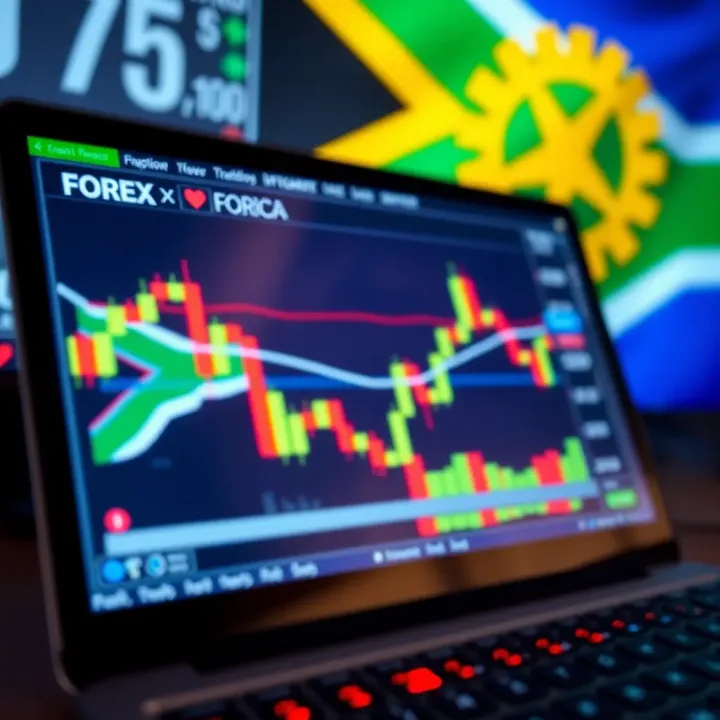
🔍 Finding the best free forex trading platform in South Africa? Discover essential features, top options, and safety tips to trade confidently and cost-effectively.
📚 Discover how to pick the best forex trading school in South Africa! Learn course benefits, key selection tips, and boost your trading skills effectively.
Based on 7 reviews